Add your listing badge
If you run one of the farms listed here, you're welcome to point people at your listing page — and there are three good reasons to. Someone who finds you on Facebook or in a search result can click through and check that a real directory has your season, your opening pattern and your address written down, which is reassurance you don't have to give them over the phone. The badge says the same thing at a glance: that your details have been checked and are kept current. And because more people finding this site means more people finding you on it, it genuinely does send pickers your way. It's optional, it always will be, and your listing stays free and unchanged either way.
Find your farm
Start typing and pick your farm from the list. Everything below then fills in with your own page address.
No farm chosen yet — the examples below use a general address. Pick your farm to fill them in.
Can't find your farm, or the lookup isn't working? Find it in the A–Z list and copy the address from your browser's address bar — that address is all any of the options below need.
Ready-to-paste snippets
Two options. The text link is the safest and works everywhere; the image badge is the same link with the badge picture on it. Pick one — you don't need both.
Text link
<a href="https://pickyourownfarms.com.au/farms/" rel="noopener">Listed on Pick Your Own Farms Australia</a>Image badge
<a href="https://pickyourownfarms.com.au/farms/" rel="noopener">
  <img src="https://pickyourownfarms.com.au/assets/badge/listed-badge.svg"
       alt="Listed on Pick Your Own Farms Australia" width="240" height="64" style="max-width:100%;height:auto" loading="lazy">
</a>
If you can't edit your website
Plenty of farms run on a Facebook page and a phone number, and that's fine — you don't need to touch any HTML for this to work. Copy your listing address below and paste it into any of these:
- Your Facebook page — Edit page info, then the Website field.
- Your Google Business Profile — the website or "appointment link" field.
- Your Linktree, or the link in your Instagram bio.
Your listing address
https://pickyourownfarms.com.au/farms/This counts just as much as the HTML. It is the same link either way, and for most farms it takes about fifteen seconds.
The badge itself
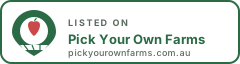
You're welcome to save the file and host it yourself if you'd rather not hotlink it. Its address is:
Badge image address
https://pickyourownfarms.com.au/assets/badge/listed-badge.svgRather we take you off? Reply to any email from us with STOP.
What the badge does and doesn't mean
The badge means one thing: this farm is listed on Pick Your Own Farms Australia, and the listing has a last-verified date attached to it. It is not an accreditation, an inspection or an endorsement — we say so plainly on our editorial policy page, and we'd rather you knew that before you put it on your website than after. It costs nothing, it doesn't expire, and there's no account to keep.
You can take it down whenever you like without telling us, and taking it down changes nothing about your listing. If you'd rather have no visual at all, the plain text link works just as well.
Where farms usually put it
The footer is the most common spot, because it appears on every page and takes one paste. A "links" or "friends of the farm" page works just as well if you have one. Some farms put it on their contact or visit-us page, next to the address and opening hours, which is arguably where it's most useful — that's the page a visitor is on when they're deciding whether to make the drive.
If your site is built on Squarespace, Wix or WordPress, the HTML snippets below go into a block or widget that accepts custom HTML — usually called "code block", "embed" or "custom HTML". If none of that sounds like your website, use the no-HTML option instead; it counts just as much.
Something wrong on your page?
If your listing has the wrong season, the wrong prices, an old phone number or a crop you stopped growing three years ago, tell us and we'll fix it — that's a better use of your time than the badge is. Reply to any email you've had from us, or use the contact page. We don't ask for a link in exchange for a correction, and we never will.
The same goes the other way: if you've got a photo of the farm you're happy for us to use, send it and we'll put it on your page with a credit to you.
Frequently asked questions
Do I have to add a link to stay listed?
No. Your listing is free and stays exactly as it is whether you link to us or not. We would never make a directory listing conditional on a link — the listing exists because it is useful to people looking for a farm like yours, not as a trade.
I can't edit my own website. Is there another way?
Yes, and it counts just as much. Paste your listing URL into the "Website" field of your Facebook page, into your Google Business Profile, or into your Linktree or Instagram bio. Copy the plain URL from the no-HTML section above — nothing else is needed.
Will the badge slow my website down?
No. It is a single SVG file of about 1.5 KB — smaller than a typical photograph by a factor of several hundred — and the snippet loads it lazily, so it never delays the rest of your page.
Can I use my own wording instead of the badge?
Of course. Any link to your listing page works, with whatever text you like. The two snippets here are just the quickest way to do it if you'd rather not write your own.
How do I get taken off the directory altogether?
Reply to any email from us with STOP and we'll take you off the list and remove the listing. No argument, no follow-up email asking why.